OneClass
Prepare, teach, follow up: one app, zero double entry.


Day book, spreadsheet, register sheet, project photos: nothing linked a pupil’s work to its assessment. OneClass brings planning, the register, the seating plan, assessment and follow-up into one place, with no double entry.
- Role
- Design and development, from framing to the marketing site.
- Duration
- October 2026.
- Team
- Designed with kindergarten teachers: framing workshops, then classroom tests.
- Context
- The product aims to simplify teachers’ day-to-day with tools suited to their needs and their constraints in the classroom.
Impact
- 3 → 1tools merged: day book, spreadsheet and register sheet
- 0double entry, from planning to follow-up
- ×3faster to file a photo of a pupil’s work
01The challenge
One class, four tools, no links
Day book, spreadsheets, register sheets, project photos: information about pupils’ work stays scattered, with no direct link between what they produce and their assessments. According to France’s education statistics office (DEPP, 2025), more than 40% of primary teachers’ working time already takes place outside the classroom. In kindergarten, individual follow-up relies in particular on evidence of learning, including photos.
02The stance
Designed for the rhythm of the classroom
Preparation happens on a computer, classroom use on a tablet. From the home screen, the essentials are within reach: the register, sessions and remaining tasks.
03The choices
From programme to planning, with no re-entry
The school’s spreadsheet imports directly. Every activity placed in a slot becomes a session, which can be moved without losing its follow-up. Official skills are linked once to each task and stay linked to all its sessions.
In class, everything within one gesture
On a tablet, the session switches to “In class” mode, with controls made for touch. The register starts from “All present”: only absences need to be marked.
Assessing pupils as the session unfolds
Three levels of mastery (acquired, in progress, not acquired) defined with teachers. Assessment happens right in class, without interrupting the activity. A single click marks the other pupils as acquired.
Every photo files itself
A photo taken during an activity is linked straight to the right pupil, the date, the activity and its level, with no manual filing.
An overview of each pupil’s journey
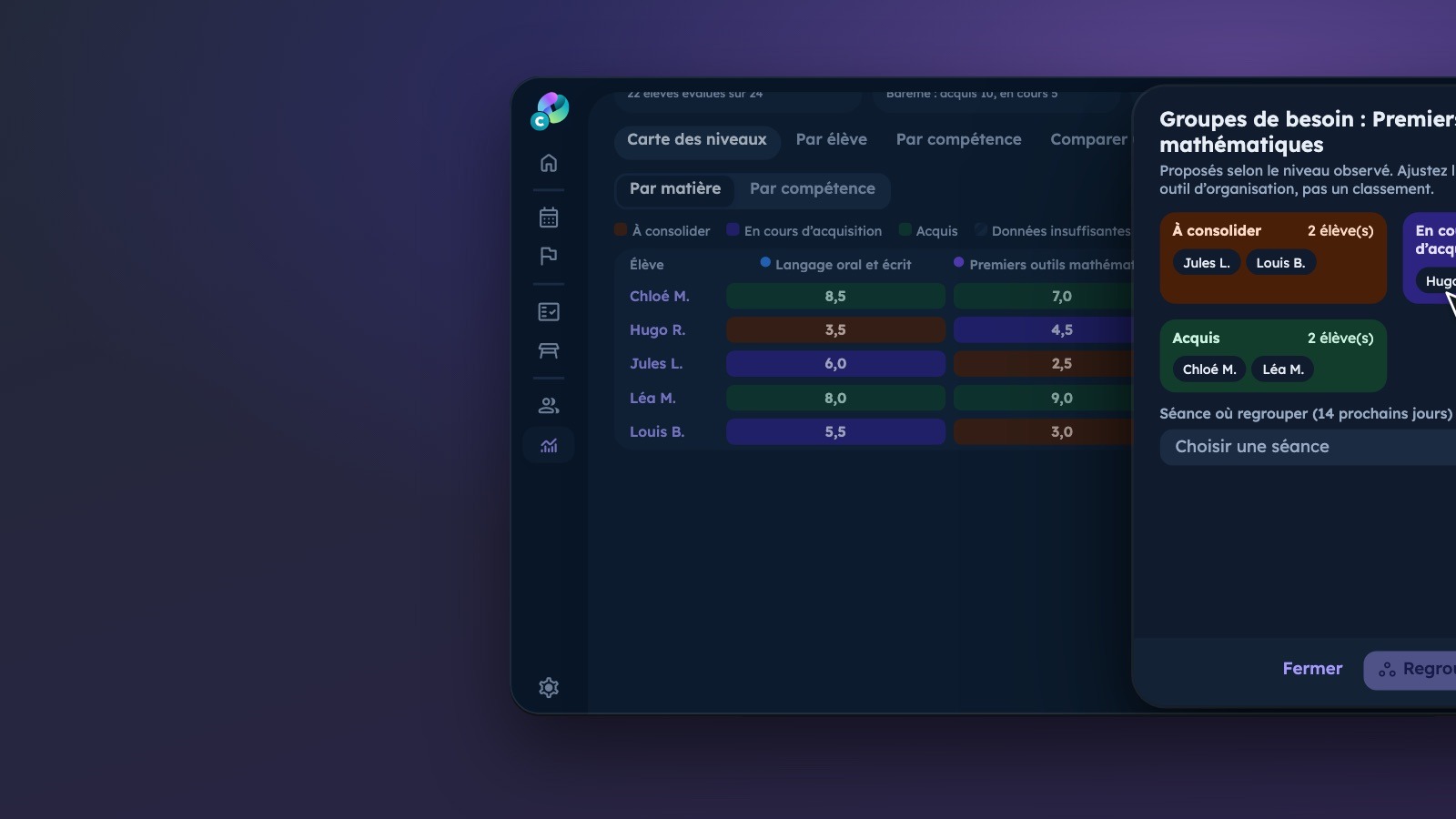
Attendance, assessments and project photos come together on a single record. The levels view makes it easier to form groups that match pupils’ needs. Indicators only appear from three observations, so follow-up rests on enough evidence.
04Results
A tool designed for one class, built for many schools
First built to meet the needs of one class, the tool is evolving to serve several schools, with separate data for each and modular plans. Teachers’ feedback shapes the changes and the priorities of each release.